

Catch Every Smile: Why Wedding Photo Sharing with a QR Code Belongs on Your Checklist

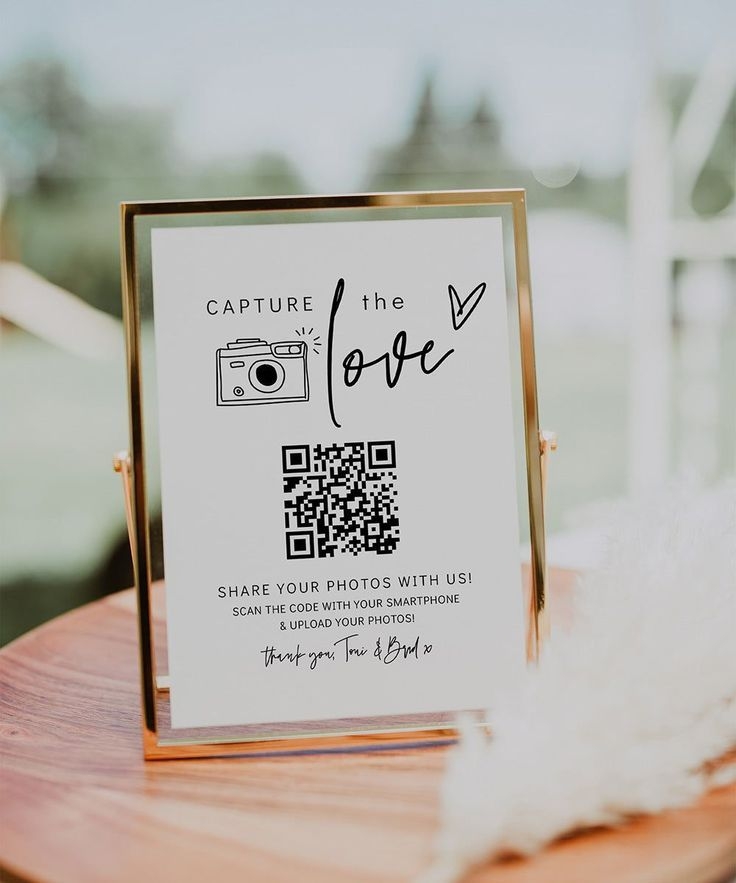
Trying to gather every candid photo once the party’s over can feel like herding glow‑stick‑wielding cats. Cousin Leo promises his DSLR masterpieces “first thing Monday,” Aunt Ana is sure she saved hers “somewhere on the tablet,” and the hashtag you printed on the napkins is stuffed with shaky dance‑floor clips. Meanwhile, those priceless moments are already drifting into the digital void.
That’s why wedding photo sharing with a QR code has gone from nice‑to‑have to an absolute essential. One neat little square on a place card does the work of a dozen reminder texts—and no guest has to download anything or remember a password.
Also, check out: Beautiful Must-Have Wedding Pictures

The Old Work arounds (and Why They Fall Flat)
- Crowded group DMs start strong, then devolve into low‑res thumbnails no one can sort through.
- Endless email chains bump into attachment limits—or land in spam.
- Event hashtags collect random selfies from strangers with the same tag, plus screenshots so compressed they can’t be printed.
Odds are slim, roughly one‑in‑ten couples ever pull in every guest photo by leaning solely on those methods.

One QR Code, Four Simple Steps
- Open a private album on a service like Wedtrove or Trovepix.
- Download the custom QR code they provide and print it on menus, table signs, and maybe even bar napkins.
- Guests scan, tap “Upload,” and drop their shots before the night’s glow sticks even cool down.
- You wake up to a single, tidy gallery—full‑resolution, unfiltered, everyone’s perspective intact.
No sign‑ups. No frantic tech support for Uncle Mario. Just fuss‑free wedding photo sharing with a QR code, the moment someone points a phone camera at the square.


Wedtrove vs. Trovepix—Same Goal, Different Flavor
Wedtrove
- Customizable, polished galleries that match your wedding vibe
- Live slideshow feature so new uploads pop onto screens in real time
- Photos hosted on Wedtrove’s servers for easy sharing after the honeymoon
Trovepix
- Minimalist interface that pipes every file straight into your Google Drive
- No middleman—your images live exactly where the rest of your cloud content does
- Ideal for couples who want raw files and full control without extra frills
Choose whichever style fits your workflow; both platforms nail effortless guest uploads.

Tech Lovers, Tech Shy—It Works for Everyone
Grandma may still think the cloud is a weather forecast, yet she can manage a QR scan: phone, camera app, beep—done. The grin she gives when "Upload successful!" blinks on‑screen is worth it.

A Tiny Square That Safeguards Decades of Memories
Your wedding spans a single day; the memories should last for generations. Printing a handful of QR codes locks in every teary hug, every off‑beat Macarena, every sparkler exit, without nagging guests or chasing links across half a dozen platforms.
So, before you fuss over napkin folds or order a second set of programs, carve out ten minutes to set up wedding photo sharing with a QR code. Future you—scrolling through a gallery packed with genuine, hilarious, perfectly imperfect moments—will be thrilled you did.

Meet Yasmine, Your AI Wedding Assistant
Get instant answers to all your wedding planning questions. From venues to vendors, Yasmine is here to help!